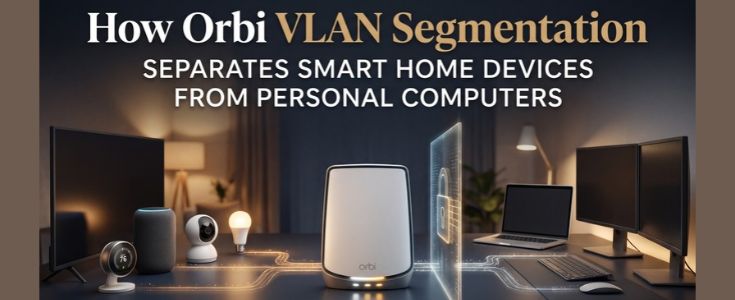
How Orbi VLAN Segmentation Separates Smart Home Devices from Personal Computers
Modern homes often contain dozens of connected devices, including smart televisions, security cameras, voice assistants, laptops, smartphones, and desktop computers. Although these devices may share the same internet connection, they do not always need access to the same local network resources. VLAN (Virtual Local Area Network) segmentation provides a way to separate network devices into logical groups, helping administrators manage communication and improve network organization.
For users managing compatible Orbi systems, understanding VLAN capabilities can help clarify how different devices may be organized. The Orbi Router Login interface and Orbi app provide access to various network management features, although available controls depend on the specific Orbi model and firmware.
What Is VLAN Segmentation in a Home Network?
VLAN segmentation divides a physical network into separate logical networks. Devices assigned to different VLANs can be organized into distinct groups even when they use the same physical networking infrastructure.
For example, a household may organize its connected equipment into separate groups:
- Personal computers and work laptops
- Smart home devices and IoT equipment
- Guest smartphones and tablets
- Network management devices
This arrangement can help control which devices communicate with one another. However, simply assigning devices to different VLANs does not automatically guarantee complete isolation. Appropriate routing rules, firewall policies, and access controls are also necessary.
Why Separate Smart Home Devices from Personal Computers?
Smart home devices frequently perform specialized functions such as video streaming, temperature monitoring, lighting control, and voice assistance. Personal computers, on the other hand, may store confidential documents, business information, and other sensitive data.
Keeping these device categories logically separated can reduce unnecessary communication between them. Some potential advantages include:
- Improved network organization: Administrators can manage devices according to their purpose rather than treating every connected device as part of one group.
- Controlled device communication: Firewall rules can restrict access between smart home equipment and personal computers.
- Reduced exposure: If an IoT device has a security weakness, properly configured network boundaries may limit its ability to communicate with other devices.
- Simplified troubleshooting: Separate network groups can make it easier to identify connectivity problems and understand traffic patterns.
These benefits depend on correct configuration. VLAN segmentation is not a replacement for strong passwords, firmware updates, or device-level security.
How Orbi VLAN Segmentation Works
VLAN support is not identical across every Orbi product. Certain Orbi Pro models offer more advanced network segmentation and business-oriented management features, while many standard home Orbi systems focus on features such as guest WiFi and basic access controls.
In a compatible network, VLAN configuration generally involves the following elements:
- Creating network groups: Separate logical networks are established for different categories of devices.
- Assigning VLAN identifiers: Each network group receives an appropriate VLAN ID.
- Connecting compatible equipment: Managed switches and supported access points may be required to carry VLAN traffic.
- Configuring access policies: Firewall or routing rules determine which groups can communicate.
- Testing connectivity: Administrators verify that authorized devices can access required services while restricted communication remains blocked.
The exact process depends on the hardware, firmware, and network topology.
Using Orbi Router Login for Network Management
The Orbi Router Login interface is commonly used to access the router’s administration settings through a supported local address or management method. Depending on the model, the administration interface may provide options for reviewing connected devices, configuring wireless networks, changing security settings, and managing other network features.
Users should first confirm whether their Orbi model supports VLAN configuration. If the feature is available, they should follow the manufacturer’s instructions for assigning VLAN IDs and configuring compatible network equipment.
It is important not to assume that every Orbi router offers a dedicated VLAN configuration page. Standard home models may not provide the same segmentation controls as Orbi Pro equipment.
What the Orbi App Can Do
The Orbi app offers a convenient way to manage supported Orbi systems from a smartphone. Depending on the model and firmware, users may be able to view connected devices, manage guest access, perform network checks, and adjust selected WiFi settings. Although the app simplifies everyday network management, it may not expose advanced VLAN configuration options.
For more complex segmentation requirements, administrators may need to use the router’s web administration interface, compatible managed switches, or additional supported networking equipment.
The app can still be useful for monitoring the network and identifying devices that need to be reviewed or assigned to the correct network group.
Best Practices for Separating IoT and Personal Devices
A well-planned segmentation strategy should balance security with everyday convenience.
- Use separate network groups: Keep smart home devices separate from personal computers where supported.
- Apply restrictive firewall rules: Allow only the communication required for normal device operation.
- Preserve essential services: Some smart home systems need access to DNS, DHCP, internet services, or local controllers.
- Review device permissions: Avoid granting unnecessary access to computers and shared storage.
- Update network equipment: Install compatible firmware updates to maintain security and functionality.
- Test connected applications: Some discovery protocols and smart home control applications may require specific cross-network rules.
Before applying restrictions, check whether devices depend on local communication for pairing, casting, automation, or remote control.
Final Thoughts
VLAN segmentation can help organize smart home equipment and personal computers into separate logical networks. When supported by the router and other networking hardware, it provides greater control over device communication and can reduce unnecessary access between network groups.
Users accessing Orbi Router Login or managing their system through the Orbi app should first verify the capabilities of their specific model. Standard Orbi systems and Orbi Pro products may offer different networking features. With compatible equipment, carefully configured VLANs, firewall policies, and regular security maintenance can create a more organized and controlled home network.
Frequently Asked Questions
VLAN segmentation separates network devices into logical groups so administrators can manage communication between different categories of connected equipment.
Yes. When supported by the networking equipment and configured with appropriate access rules, VLANs can restrict communication between IoT devices and personal computers.
No. VLAN capabilities vary by product. Some Orbi Pro models offer advanced segmentation features that may not be available on standard home Orbi systems.
The Orbi app provides selected network management features, but advanced VLAN configuration may require the web administration interface or compatible networking equipment.
No. VLANs help establish network boundaries, but effective security also requires firewall rules, strong authentication, firmware updates, and appropriate device permissions.